
LINUX ENVIRONMENTS
Desktop environments
Shape your Linux experience.
Desktop environments are the graphical interfaces of Linux systems. They define how users interact with their desktop through design, layout, and features.
Budgie
(similar to macOS)

Wayland

Budgie delivers a clean, modern desktop with a simple panel and the Raven sidebar for notifications and quick settings. It emphasizes smooth performance, minimal distractions, and user-friendly customization for a balanced experience.
Windowing systems:

Float

Tile

Workspace
Good
Basic
Good
Cinnamon
(similar to MS Windows)

Wayland, X11

Cinnamon offers a traditional desktop layout that feels familiar to Windows users, with a taskbar, start menu, and system tray. It combines a classic look with modern features, delivering an intuitive and responsive user experience.
Windowing systems:
Float
Tile
Workspace
Good
Good
Good
Cosmic
(similar to macOS)

Wayland
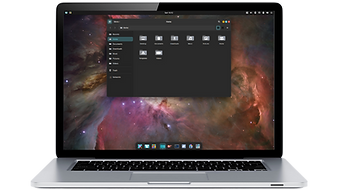
COSMIC is a Linux desktop environment developed by System76, originally for Pop!_OS and now built independently in Rust. It emphasizes workflow efficiency with tiling, workspaces, and keyboard shortcuts, while offering customization.
Windowing systems:
Float
Tile
Workspace
Good
Advanced
Good
Deepin
(similar to macOS)

Wayland, X11

DDE is a modern desktop environment developed by Deepin, known for its elegant design, intuitive layout, and smooth animations. It features a dock, control center, and built-in apps, offering a user-friendly experience with functionality.
Windowing systems:
Float
Tile
Workspace
Good
Good
Good
Enlightenment
(similar to macOS)

X11, Wayland

Enlightenment is a lightweight desktop shell built on the Enlightenment Foundation Libraries (EFL). It provides modular UI elements, virtual desktops and aims for high visual polish with very low resource usage.
Windowing systems:
Float
Tile
Workspace
Good
Good
Good
GNOME
(similar to Android & macOS)

Wayland

GNOME is a modern and streamlined desktop environment focused on simplicity and productivity. It uses a clean design with an Activities Overview for managing windows and workspaces, making it easy to stay organized and distraction-free.
Windowing systems:
Float
Tile
Workspace
Good
Good
Advanced
LXDE
(similar to MS Windows)

X11

LXDE is an ultra-light desktop built for speed and low memory use. With a familiar panel and menu, it avoids flashy effects to stay simple and efficient, making it ideal for older computers or anyone who values minimalism and reliability.
Windowing systems:
Float
Tile
Workspace
Good
None
Good
LXQt
(similar to MS Windows)

Wayland, X11

LXQt is a lightweight, Qt-based desktop built for speed and simplicity. With a classic panel, menu, and efficient tools, it runs fast even on older hardware. Its modular design makes it flexible, while staying easy to use and configure.
Windowing systems:
Float
Tile
Workspace
Good
None
Good
MATE
(similar to MS Windows)

X11, Wayland (experimental)

MATE is a lightweight desktop environment that continues the classic GNOME 2 design. It is simple, stable, and efficient, making it a great choice for users who prefer a traditional interface or need a desktop that runs smoothly on older hardware.
Windowing systems:
Float
Tile
Workspace
Good
Basic
Basic
Moksha
(similar to MS Windows)

X11

Moksha is a lightweight, highly configurable desktop hybrid forked from Enlightenment 17. It offers panels, modules, virtual desktops, and theming, giving many DE features with much lower resource usage than other desktop environments.
Windowing systems:
Float
Tile
Workspace
Good
None
Good
Pantheon
(similar to macOS)

Wayland, X11

Pantheon is the environment designed for Elementary OS, created with simplicity, speed, and elegance in mind. Inspired by macOS, it features the Wingpanel, Plank dock, and Gala window manager, focusing on minimalism.
Windowing systems:
Float
Tile
Workspace
Good
Good
Good
Plasma
(similar to MS Windows)

Wayland, X11

KDE Plasma is a polished, feature-rich desktop with endless customization. Its panel, menu, and widgets offer a familiar feel, while advanced options like Activities and tiling make it powerful yet welcoming for beginners.
Windowing systems:
Float
Tile
Workspace
Good
Good
Good
Trinity
(similar to MS Windows)

X11

Trinity is a lightweight, traditional desktop environment forked from KDE 3.5, aimed at users who want a classic desktop model. It offers panels, menus and widgets but optimized for efficiency and lower-resource systems.
Windowing systems:
Float
Tile
Workspace
Good
Basic
Good
Unity
(similar to macOS)

X11

Unity blends a left-side launcher, global menu, and smart search for efficient multitasking. It favors productivity with strong keyboard shortcuts while remaining easy to navigate for mouse users, offering a polished Ubuntu-first experience.
Windowing systems:
Float
Tile
Workspace
Good
Basic
Good
XFce
(similar to MS Windows)

X11, Wayland (experimental)

XFce offers a stable, fast desktop with a traditional layout of panel, menu, and workspace support. It balances performance and customization, making it resource-friendly without being barebones, appealing to both new and advanced users.
Windowing systems:
Float
Tile
Workspace
Good
Good
Good
Zorin
(similar to MS Windows)

Wayland, X11

Zorin Desktop (mixed-source) is an environment built on GNOME, designed for a familiar and user-friendly experience for users migrating from Windows or macOS. It features multiple layout options and unique enhancements.
Windowing systems:
Float
Tile
Workspace
Good
Good
Good