
SudoStation
Find YOUR LINUX Distro

Will your next desktop be Linux?
DISTROS
Beginner-friendly distros are made with the non-savvy Linux user in mind. The common objective is for the user not to need or rely on the terminal for anything.
Top 3 recommendations:
Fedora
(Fedora 44)

APP CENTER | SUPPORTIVE COMMUNITY | EASY INSTALL
Fedora is a cutting-edge Linux distribution that showcases the latest open-source technologies while staying stable and reliable. It integrates Flatpak for easy app installation, and is a great choice for users who enjoy having up-to-date software.
Recommended Environments:
(preinstalled)

Plasma

GNOME

Linux Mint
(Linux Mint 22.3 LTS)

APP CENTER | SUPPORTIVE COMMUNITY | EASY INSTALL
Linux Mint is built with simplicity and comfort in mind, making it ideal for those switching from Windows. It features a familiar desktop layout, comes with essential software pre-installed, and includes a clean Software Manager for installing apps.
Recommended Environments:
(preinstalled)

Cinnamon
Ubuntu
(Ubuntu 26.04 LTS)

APP CENTER | SUPPORTIVE COMMUNITY | EASY INSTALL
Ubuntu is one of the most popular Linux distributions, offering a user-friendly interface, frequent updates, and a huge support community. It provides easy access to thousands of applications and is well-suited for both newcomers and experienced users.
Recommended Environments:
(preinstalled)
Cinnamon
GNOME
Plasma
ENVIRONMENTS
The desktop environment (DE) is what the user sees and interacts with on the screen. Most distros will only pick one or a few environments for their target userbase.
Top 3 recommendations:
Plasma
(similar to MS Windows)


KDE Plasma is a polished, feature-rich desktop with endless customization. Its panel, menu, and widgets offer a familiar feel, while advanced options like Activities and tiling make it powerful yet welcoming for beginners.
Windowing systems:

Float

Tile

Workspace
Good
Good
Good
GNOME
(similar to Android & macOS)


GNOME is a modern and streamlined desktop environment focused on simplicity and productivity. It uses a clean design with an Activities Overview for managing windows and workspaces, making it easy to stay organized and distraction-free.
Windowing systems:
Float
Tile
Workspace
Good
Good
Advanced
Cinnamon
(similar to MS Windows)

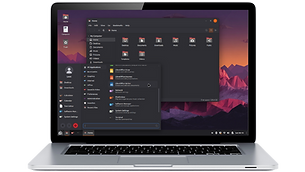
Cinnamon offers a traditional desktop layout that feels familiar to Windows users, with a taskbar, start menu, and system tray. It combines a classic look with modern features, delivering an intuitive and responsive user experience.
Windowing systems:
Float
Tile
Workspace
Good
Good
Good
GAMING
Games on Linux are more accessible than ever. With a mix of native titles and Proton-powered Windows releases, Linux offers a growing library that rivals other platforms.
Recommendations for newcomers:


ASSISTANCE
Currently, Linux distros don't come pre-installed with an Ai assistant. This is mostly due to privacy concerns and the general idea that it's not necessary; “it's up to the user to choose”.
Recommended for newcomers:


Grok Build is a Ai assistant that lives right inside your Linux terminal, ready to help beginners and experienced users alike with advanced technical tasks. Once installed with a simple one-line command, you can ask it to explain confusing commands, troubleshoot errors, install software or find missing dependencies.
From our tests, Grok Build was the easiest way to get assistance on a Linux system. It's easy to install and has extensive knowledge on the Linux ecosystem. You can literally type in "I installed a new GPU and now Steam won't launch", and it will diagnose the issue and fix it for you.
⚠️ Access to Grok Build recently became available for the Free Tier with "standard limits".

Do you sell PC hardware or laptops?


v0.7.0-beta
First Boot Linux is a disposable first-run environment that PC retailers and refurbishers pre-install instead of locking a machine to one operating system. When the buyer first powers on, they pick a distribution from a small set the shop already staged on disk, or another option downloaded on the spot. First Boot installs that system and replaces itself, so the computer starts life with the OS the customer chose rather than the one the vendor assumed.

SudoStudio
Yes, sometimes we like to write ...but only sometimes.


